 PlaceBee

Introduction to AI-Powered Trip Planning
Planning a 2026 vacation requires balancing personal preferences, logistics, budgets, and unpredictable factors like weather. AI tools such as ChatGPT and Claude excel at generating detailed itineraries when prompted effectively. This guide explores advanced techniques to refine outputs for real-world travel, including eight ready-to-use templates, error corrections, model comparisons, and weather-adaptive examples for destinations like Norwegian fjords or Rocky Mountain hikes. Effective prompt engineering transforms generic AI responses into actionable day-by-day plans that account for group dynamics, transport options, and seasonal variations common in 2026 travel seasons.
By specifying constraints like travel dates, group size, and priorities early, users achieve higher accuracy and reduce the need for extensive revisions. The focus remains on practical application for 2026 trips, incorporating lessons from recent itineraries that demonstrate how small prompt tweaks lead to major improvements in usability and realism.
Core Principles of Prompt Engineering for Travel
Start prompts with clear context: destination, dates, traveler details, and goals. Add constraints for realism, such as daily activity limits or transport preferences. Iterative refinement follows initial outputs by feeding back specifics like "adjust for a family with children under 10 and include rest periods." Key elements include role assignment (e.g., "Act as a seasoned travel planner with expertise in European routes"), output format requests (tables or bullet lists with time estimates), and inclusion of variables like budget ranges or mobility needs. This structure minimizes hallucinations and aligns results with practical constraints such as opening hours and crowd levels.
Users should also request sources or general estimates to verify details. For example, adding "base suggestions on typical 2026 patterns without assuming real-time data" prevents outdated recommendations. Testing multiple iterations builds familiarity with how each model responds to layered instructions.
Eight Ready-to-Use Prompt Templates with Examples
- Basic Itinerary Builder: "Create a 7-day itinerary for [destination] in [month 2026] for [group type]. Include daily activities, meals, and transport. Prioritize [interests]." Example output for Iceland fjords yields morning hikes, afternoon boat tours, and evening dining with estimated times.
- Budget-Focused: "Generate a 2026 trip plan to [place] staying under [amount] total. Break down costs per day with free and paid options." This produces prioritized free walking tours alongside optional paid entries.
- Family-Oriented: "Design a family itinerary for [destination] suitable for kids aged [range]. Include kid-friendly activities and rest times." Outputs often feature playground stops and shorter walking segments.
- Adventure Level: "Plan an active 5-day trip to [fjords/mountains] with hiking and outdoor pursuits, including difficulty ratings." Includes elevation details and gear suggestions.
- Seasonal Adjustment: "Adjust this itinerary for shoulder season in [2026 dates], accounting for shorter days and potential closures." Shifts activities to earlier hours and adds indoor backups.
- Multi-City Route: "Outline a 10-day route connecting [city1] to [city2] with optimal transport links." Details train schedules and transfer times.
- Accessibility Edition: "Create an accessible itinerary for [destination] suitable for wheelchair users, focusing on step-free options." Lists ramps, elevators, and accessible transport.
- Weather-Responsive: "Build a flexible itinerary for [mountains] that adapts to rain or snow forecasts." Provides daily alternatives based on conditions.
Common AI Errors and Step-by-Step Fixes
AI often overlooks real-time logistics like opening hours or visa requirements. Fix by adding "verify against current 2026 conditions and note any assumptions" in follow-up prompts. Overly optimistic schedules get corrected with "limit to 3 activities daily and include buffer time for meals and travel." Budget inaccuracies arise from outdated data; counter by requesting "use general estimates only and note sources." For seasonal mismatches, insert explicit weather parameters early such as "incorporate typical June rainfall patterns." Test outputs against known references like official park sites for accuracy on trails and facilities.
Another frequent issue is generic suggestions lacking personalization. Address this by providing more context in the initial prompt, such as dietary restrictions or previous trip experiences. Before-and-after examples show how adding one sentence about mobility improves output relevance dramatically.
Side-by-Side Model Comparisons
ChatGPT tends to produce structured, list-heavy responses ideal for quick scans, while Claude offers more narrative flow with deeper cultural insights. For a fjord itinerary, ChatGPT might list ferry times precisely with bullet points, whereas Claude expands on scenic viewpoints and local history. In tests for mountain trips, Claude handled complex routing better by suggesting alternative paths, but ChatGPT integrated meal suggestions more practically with specific restaurant types. Users benefit from cross-verifying key details across models and merging the structured lists from one with the descriptive elements from the other for a complete plan.
Further comparisons reveal ChatGPT excels at numerical breakdowns like daily distances, while Claude provides better storytelling for motivation during long trips. Running the same base prompt on both and combining outputs creates superior results tailored to different aspects of travel.
Weather-Adaptive Examples for Fjords and Mountains
For Norwegian fjords in summer 2026, prompts should request rain contingencies like indoor alternatives or covered boat tours. A sample adjustment: replace hiking with museum visits during storms while keeping evening fjord cruises flexible based on wind forecasts. For mountain destinations, prompts specifying "include elevation gains and backup indoor days for snow" yield safer plans with options for visitor centers or scenic drives. 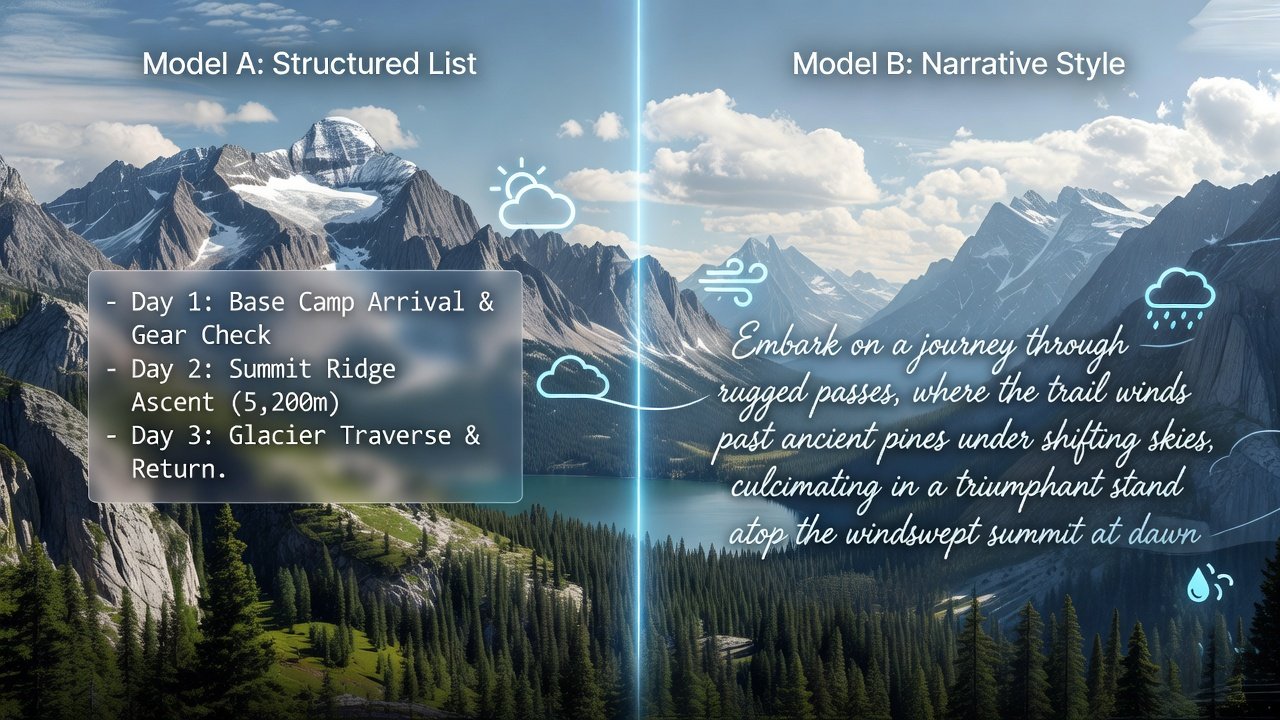
Practical steps include starting with a base itinerary prompt then following up with "Modify the day 3 hike for possible rain using National Weather Service typical patterns." This layered approach produces resilient schedules.
Practical Case Studies from 2026 Itineraries
One traveler used iterative prompts for a Patagonia trip, refining from broad outlines to specific daily hikes with transport bookings. Adjustments for wind conditions prevented cancellations by swapping exposed trails for sheltered valleys. Another case involved a European city break where budget prompts revealed overlooked free walking tours and local markets, saving significantly on daily expenses while maintaining cultural depth. A third example covered a family mountain getaway in the Rockies, where accessibility prompts ensured all activities met needs, resulting in a stress-free experience with pre-booked accessible shuttles.
These examples highlight how follow-up prompts incorporating real feedback loops produce robust results aligned with on-ground realities and help avoid common pitfalls like over-scheduling.
Seasonal and Regional Adjustments in Detail
Shoulder seasons require prompts that factor in fewer crowds but variable weather. For mountain areas, reference National Park Service guidelines on seasonal trail access. Regional examples include adding hydration reminders for arid zones or layering suggestions for cooler climates. This ensures itineraries stay relevant throughout 2026.
Integrating AI Itineraries with Google Maps
Export AI-generated routes into Google Maps for navigation. Copy addresses and times directly into custom layers. This integration supports offline access and real-time traffic updates during travel, enhancing the practicality of any generated plan.
FAQ Section
How do I handle last-minute changes with AI prompts?
Re-prompt with updated constraints like new dates or weather alerts for rapid revisions while keeping the core structure intact.
Can AI account for flight delays?
Include buffer days in prompts and request contingency plans for transport disruptions to maintain flexibility.
Is integration with maps straightforward?
Yes, paste locations into Google Maps for visual planning and route optimization.
What if the AI suggests unsafe activities?
Add safety constraints like "prioritize well-reviewed trails with ranger oversight" to filter outputs effectively.
How many iterations are typically needed?
Most users achieve polished results within three to five refinements by building on previous responses.
Conclusion
Mastering AI prompts elevates 2026 trip planning from generic suggestions to personalized, logistics-ready itineraries. Apply these templates and fixes to create flexible plans that adapt to real conditions. Experiment with models and iterate based on your unique needs for successful adventures that match expectations and enhance enjoyment.

No comments yet. Be the first!