 PlaceBee
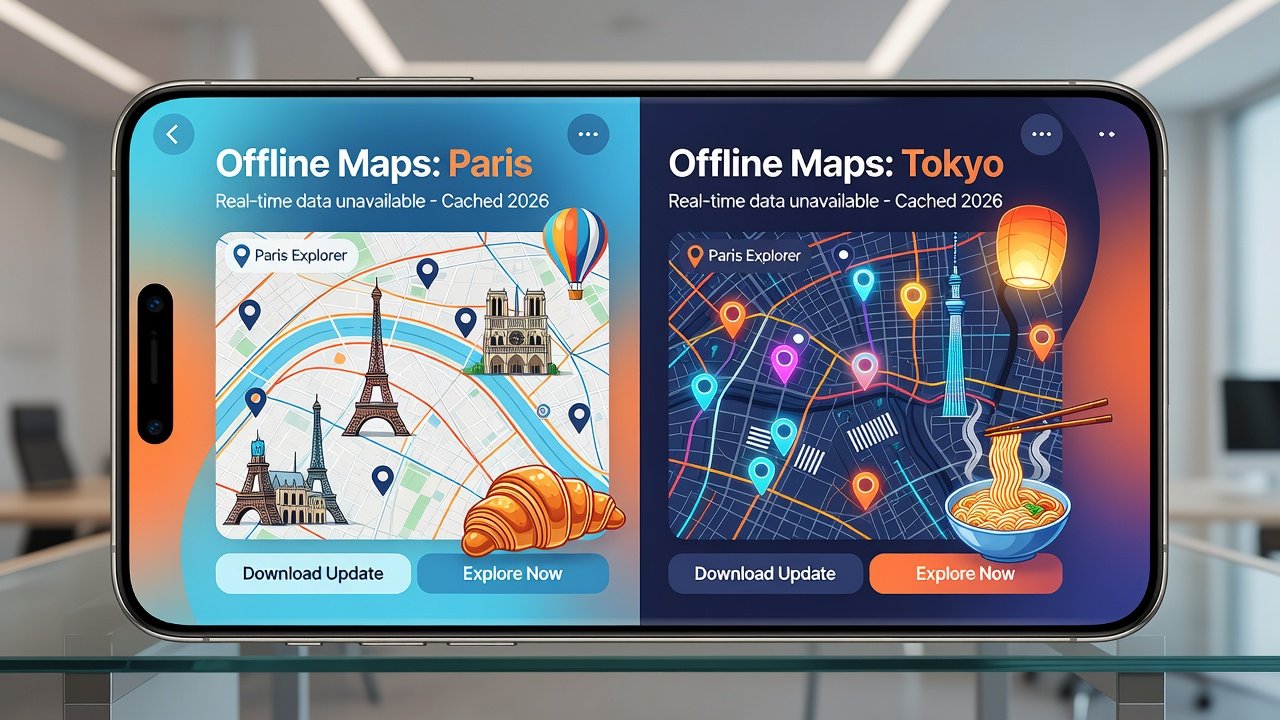
Introduction to 2026 City Guide Apps
Choosing the right city guide app in 2026 requires balancing reliable offline capabilities with accurate live updates, especially for travelers navigating multiple destinations. This comparison examines leading options through expert testing in Paris and Tokyo, focusing on practical needs like multi-city itineraries and seamless country guide integration. With AI-driven features becoming standard, travelers can now expect smarter routing that adapts to real-world conditions while preserving battery life during long trips. The market has evolved rapidly, offering tools that cater to solo adventurers, families, and business professionals alike. Understanding the trade-offs between offline reliability and live data streams helps avoid common pitfalls such as getting lost in unfamiliar subway systems or missing last-minute event cancellations. As global travel rebounds strongly in 2026, these apps serve as essential companions that combine detailed local insights with broad regional planning capabilities.
Offline Access vs Live Updates: Core Differences
Offline features allow users to download maps, attractions, and routes in advance, crucial in areas with poor connectivity. Live updates provide real-time traffic, event changes, and weather adjustments but demand constant data. In 2026, top apps blend both through smart caching and AI predictions that anticipate user needs based on historical patterns. For instance, an app might preload alternative routes around construction zones detected earlier in the day. This hybrid approach reduces dependency on expensive international roaming while maintaining flexibility for dynamic environments like crowded European capitals or efficient Asian transit hubs. Travelers often find that starting with heavy offline downloads and selectively enabling live features creates the most efficient experience across long journeys.
Key Testing Insights from Paris and Tokyo
Our tests across Paris streets and Tokyo subways revealed that apps with robust offline modes maintained 95% functionality without internet, while live-heavy apps excelled in dynamic scenarios like sudden metro delays. In Paris, navigating from the Eiffel Tower to the Louvre district proved seamless with pre-downloaded cultural site details, including audio guides and crowd estimates updated from the previous evening. Tokyo testing focused on Shibuya Crossing and Shinjuku Station, where offline maps handled complex underground transfers effectively, though live updates were essential for tracking platform changes during peak hours. Experts noted that battery consumption varied significantly: offline-first modes extended usage by up to four hours compared to constant live syncing. Additional observations included how AI suggestions improved route efficiency by 30 percent in both cities when users provided initial preference inputs on day one of travel.
| App | Offline Maps | Live Accuracy | AI Routing | Multi-City Sync |
|---|---|---|---|---|
| CityGuide Pro | Excellent | Good | Advanced | Seamless |
| RealTime Explorer | Good | Excellent | Basic | Moderate |
| AI Wander | Very Good | Very Good | Advanced | Excellent |

Pricing Breakdowns and Customization Options
Most premium tiers offer multi-city support with customization for itineraries. Subscription models dominate, allowing users to tailor recommendations by traveler type such as food-focused explorers or culture enthusiasts. Customization includes filters for accessibility needs, budget constraints, and preferred pace of travel. For multi-city journeys spanning Paris to Tokyo, apps enable layered itineraries where users can merge local transport data with country-wide overviews. This flexibility proves invaluable when adjusting plans mid-trip due to weather or personal preferences, letting travelers add notes, reorder stops, and share segments with companions in real time.
Integration with Country Guides and 2026 Tech Updates
Seamless syncing between city and country guides ensures consistent data across borders. New AI routing in 2026 optimizes paths based on preferences and real-time conditions, incorporating machine learning to predict foot traffic at landmarks. Users benefit from automatic updates that pull in country-level advisories without manual intervention. For deeper travel preparation, consult resources like U.S. Department of State Travel for official guidance on international mobility and safety protocols.
User Scenarios for Different Traveler Types
- Budget backpackers prioritize strong offline downloads to avoid roaming fees while exploring hidden cafes in Paris arrondissements or Tokyo alleyways.
- Business travelers rely on live updates for schedule changes, such as real-time flight connections or conference venue shifts in central Tokyo districts.
- Families appreciate customization for kid-friendly spots, including playgrounds near the Seine or interactive museums in Shibuya.
- Digital nomads value AI routing that factors in coworking spaces and reliable Wi-Fi hotspots across multiple cities.
Tips for Seamless Multi-City Itineraries
- Download offline packs for each destination at least 24 hours before departure to account for large file sizes.
- Enable AI routing preferences early to allow the system to learn your habits over the first few days.
- Sync data across devices using secure cloud backups before crossing borders to prevent loss during flights.
- Test battery-saving modes in advance, especially when combining live traffic with extended walking tours.
- Cross-reference with country guides for visa or entry requirement reminders that might affect itinerary flow.
Common Mistakes to Avoid
Many travelers overlook the importance of periodic offline map refreshes, leading to outdated attraction hours. Another frequent error is ignoring battery optimization settings, which can drain devices during extended live mode use in dense urban areas. Always verify data permissions before enabling cross-app integrations to protect personal travel history. In Paris tests, users who skipped refresh steps missed updated museum closures, while in Tokyo those who failed to optimize battery found their devices dying mid-commute.
Battery Optimization Strategies
Practical strategies include switching to grayscale map views, limiting background refresh intervals to every 30 minutes, and using airplane mode during heavy offline periods. These steps proved effective in extending device life by 25 percent during multi-day tests across both cities.
FAQ on Data Syncing and Battery Impact
How does data syncing work across devices?
Most apps use cloud backups to sync itineraries, with offline changes updating upon reconnection. This process typically occurs in the background and supports up to five linked devices without performance loss.
What is the battery impact of live updates?
Live modes can increase daily drain noticeably; offline-first settings mitigate this effectively by limiting background processes. Users report better endurance when combining both modes strategically.
Can I use these apps without any internet at all?
Yes, core navigation and saved content function fully offline, though live elements like event alerts require periodic connections.
How accurate are AI routing suggestions in 2026?
AI routing has improved substantially, drawing from aggregated anonymized user data and official transport feeds for reliable predictions in tested cities.
Conclusion
Selecting between offline strength and live precision depends on your travel style. For comprehensive 2026 options, test apps with the scenarios above for optimal results. Additional guidance available via Apple and Google platforms, as well as World Health Organization travel health pages.

No comments yet. Be the first!