 PlaceBee
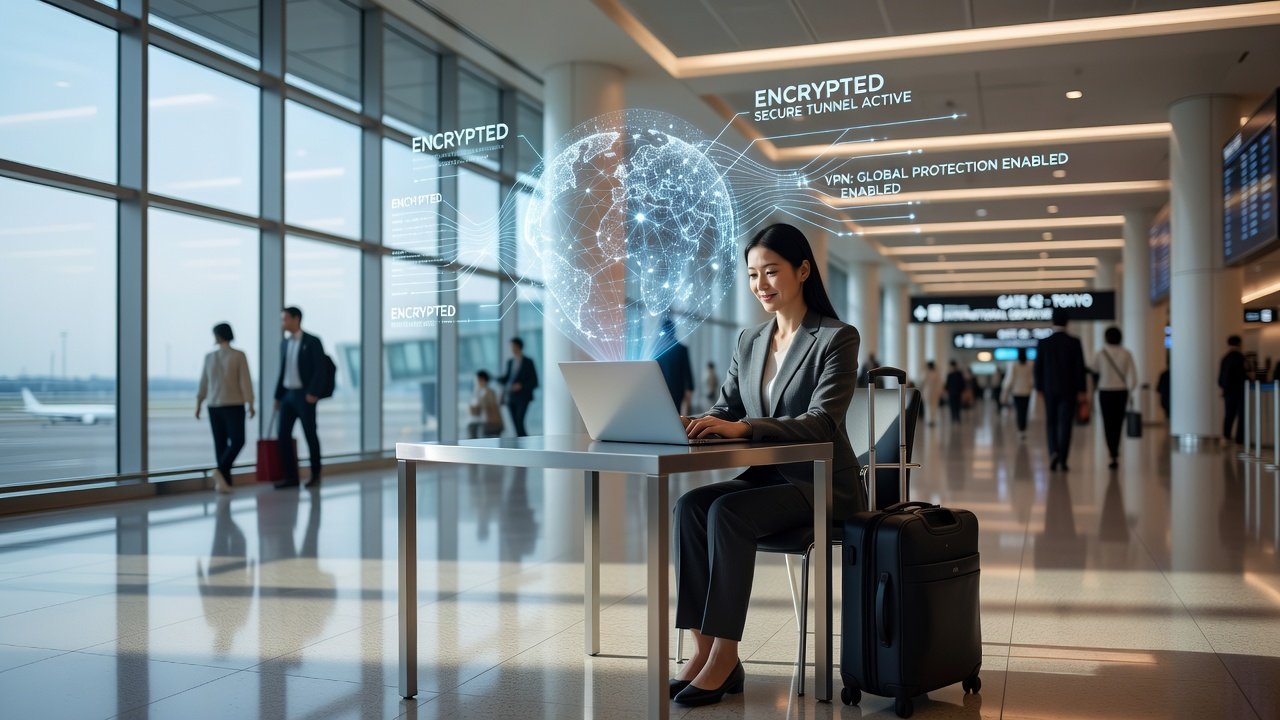
International travel in 2026 brings incredible opportunities, but it also exposes travelers to sophisticated digital threats. From phishing scams at airports to data theft on unsecured networks, protecting your devices and personal information requires proactive strategies. This guide delivers practical, in-depth advice tailored for modern globetrotters who want to enjoy their journeys without compromising safety.
Understanding Common Digital Threats Abroad
Travelers face unique risks when crossing borders. Public Wi-Fi at cafes, hotels, and airports often lacks encryption, allowing attackers to intercept sensitive data such as login credentials or financial details. Phishing emails disguised as flight updates, hotel confirmations, or even customs forms can trick users into revealing credentials. Data theft through malware on compromised devices remains prevalent in regions with high tourist traffic. Real-world examples include travelers losing access to banking apps after connecting to hotel networks in Southeast Asia or having their social media accounts hijacked via fake Wi-Fi portals in European train stations. Another common issue arises at border crossings where devices may be inspected, increasing the chance of unauthorized access if encryption is not properly enabled. Understanding these threats helps travelers prioritize defenses that match real-world scenarios rather than generic advice.
Pre-Trip Device Setup Checklist
Preparation starts weeks before departure to minimize last-minute stress. Begin by updating all operating systems and apps to patch vulnerabilities that hackers frequently exploit. Enable full-disk encryption on smartphones and laptops using built-in tools like BitLocker or FileVault. Back up critical data to encrypted cloud services and create offline copies stored on physical media. Review app permissions and remove unnecessary ones that could leak location or contact information. Install reputable antivirus software and run full scans. Test your setup by simulating a connection to public Wi-Fi at home to verify that your protections activate correctly. Additional steps include disabling automatic Bluetooth discovery, turning off file sharing features, and creating a separate travel-only user profile on your devices. For families, coordinate so each member follows the same protocol and shares emergency contacts securely.
- Update all software and firmware across every device
- Enable device encryption and biometric locks with strong fallbacks
- Install and configure security tools with latest definitions
- Review and revoke old app permissions and connected accounts
- Pack portable chargers, encrypted drives, and backup hardware
- Document serial numbers and IMEI codes in a secure location
Choosing and Using VPNs Effectively
A virtual private network creates an encrypted tunnel for your internet traffic, shielding it from prying eyes on shared networks. For international trips, select providers with no-logs policies audited by third parties and servers in multiple countries to ensure reliable connections. Connect to the VPN whenever using public networks, and choose protocols like WireGuard for speed without sacrificing security. Avoid free VPNs, which often sell user data or contain hidden trackers. Combine VPN use with DNS leak protection and kill switch features that cut internet access if the tunnel drops. Practical setup involves installing the app before travel, testing server locations relevant to your destinations, and learning how to switch servers quickly when speeds fluctuate. Many travelers also use split tunneling to route only sensitive traffic through the VPN while keeping streaming services on local connections.
Password Managers: Top App Comparisons
Password managers generate and store complex credentials, reducing reliance on memory and minimizing reuse across sites. Leading options differ in features such as cross-platform sync, biometric login, secure sharing for travel companions, and emergency access contacts. Compare audit histories from independent firms, ease of use during travel when internet is spotty, and integration with authenticator tools. Choose one that supports offline access and has a clean mobile interface for quick logins at airports. Popular choices include those emphasizing zero-knowledge encryption and regular third-party security reviews. Test the import process from browsers and ensure the master password is memorable yet strong, often using a passphrase technique.
Implementing Two-Factor Authentication
Two-factor authentication adds a critical second layer beyond passwords. Prefer app-based or hardware token methods over SMS, which can be intercepted via SIM swapping attacks common in some countries. Set up 2FA on email, banking, and social accounts before travel and store backup codes in a secure physical location such as a hidden compartment in your luggage. Hardware keys provide an extra layer for high-value accounts and work even without cellular service. Walk through the setup on each service to confirm recovery options are active, and consider using authenticator apps that support multiple accounts for streamlined management.
Avoiding Public Wi-Fi Risks
Public networks remain a primary attack vector for data interception. Disable automatic Wi-Fi connections on devices to prevent accidental joins. Use your VPN immediately upon joining any network and avoid performing banking or entering passwords without protection. Consider mobile hotspots with international data plans for sensitive tasks like checking financial statements. Never download software or open attachments while on public connections. Advanced travelers carry a portable router that creates a personal encrypted network from a cellular connection, adding another barrier against man-in-the-middle attacks.

Packing Portable Security Gadgets
Smart packing enhances protection without adding bulk. Include a hardware security key for account recovery, an encrypted external drive for backups, and a travel router to create private networks in hotel rooms. These compact items fit easily in carry-ons and provide redundancy against digital failures or device loss. Additional useful gadgets include RFID-blocking wallets for physical cards, portable battery packs with built-in cable management, and cable locks for securing laptops in shared spaces. Organize everything in a dedicated tech pouch so you can quickly locate items during security screenings.
Emergency Response Protocols
If accounts are compromised, act quickly with a clear plan. Immediately change passwords from a secure device and enable or reset 2FA on all affected services. Contact your bank to freeze transactions and monitor for unusual activity. Use official recovery channels rather than links from emails. Report incidents to local authorities and services like CISA for guidance on next steps. Monitor credit reports upon return and consider placing fraud alerts. Having printed copies of support numbers and account details stored separately speeds up the recovery process significantly.
Balancing Convenience and Security in Daily Travel
Security measures should not hinder enjoyment of your trip. Use biometric unlocks for speed while maintaining strong passcodes as backups. Schedule regular security check-ins during trips, such as reviewing login activity each evening. Educate travel companions on basic habits like verifying URLs before entering data. Many travelers find that investing time in setup upfront leads to smoother experiences overall, as fewer interruptions occur from security alerts or account lockouts.
FAQ
Is a VPN necessary for every connection abroad?
Yes, especially on public or hotel networks. A quality VPN protects data even on trusted connections during international travel by encrypting traffic end-to-end.
Which password manager works best offline?
Most premium options allow offline vault access. Test functionality before departure to ensure seamless use without internet and confirm sync resumes automatically when connected.
How do I handle 2FA if my phone is lost?
Store backup codes securely and consider hardware keys as alternatives. Many services offer account recovery through verified email or support channels after identity verification.
Are portable routers worth packing?
They provide private networks and reduce reliance on unknown Wi-Fi, making them valuable for frequent travelers concerned about data interception and consistent connectivity.
What should I do if I suspect phishing during travel?
Never click links in unsolicited messages. Instead, manually type official website addresses and contact support through verified channels to confirm legitimacy before taking any action.
Can I use the same security setup for all destinations?
Core tools remain effective, but research local regulations on encryption and VPN use in advance, especially for countries with strict data policies, and adjust settings accordingly.
Conclusion
Digital security for 2026 international trips combines preparation, the right tools, and ongoing vigilance. By following these pro tips on VPNs, password managers, two-factor authentication, and more, you can explore the world confidently while safeguarding your data. Stay informed through resources like FTC consumer guides and DHS travel security pages and adapt strategies as threats evolve with new technologies.
No comments yet. Be the first!